SnapRecaller
Screenshot it. Get reminded.
SnapRecaller turns a screenshot into a reminder in a few seconds, and brings it back exactly when you need it.
For iPhone · iOS 26 · First 20 reminders free
How it works
From screenshot to reminder in seconds
Screenshots are how we save things for later. Then later never comes, and they sink into your camera roll.
-
Screenshot it
Take a screenshot as usual, then tap Share.
-
Choose SnapRecaller
Pick it from the share sheet. SnapRecaller only sees the one image you share with it.
-
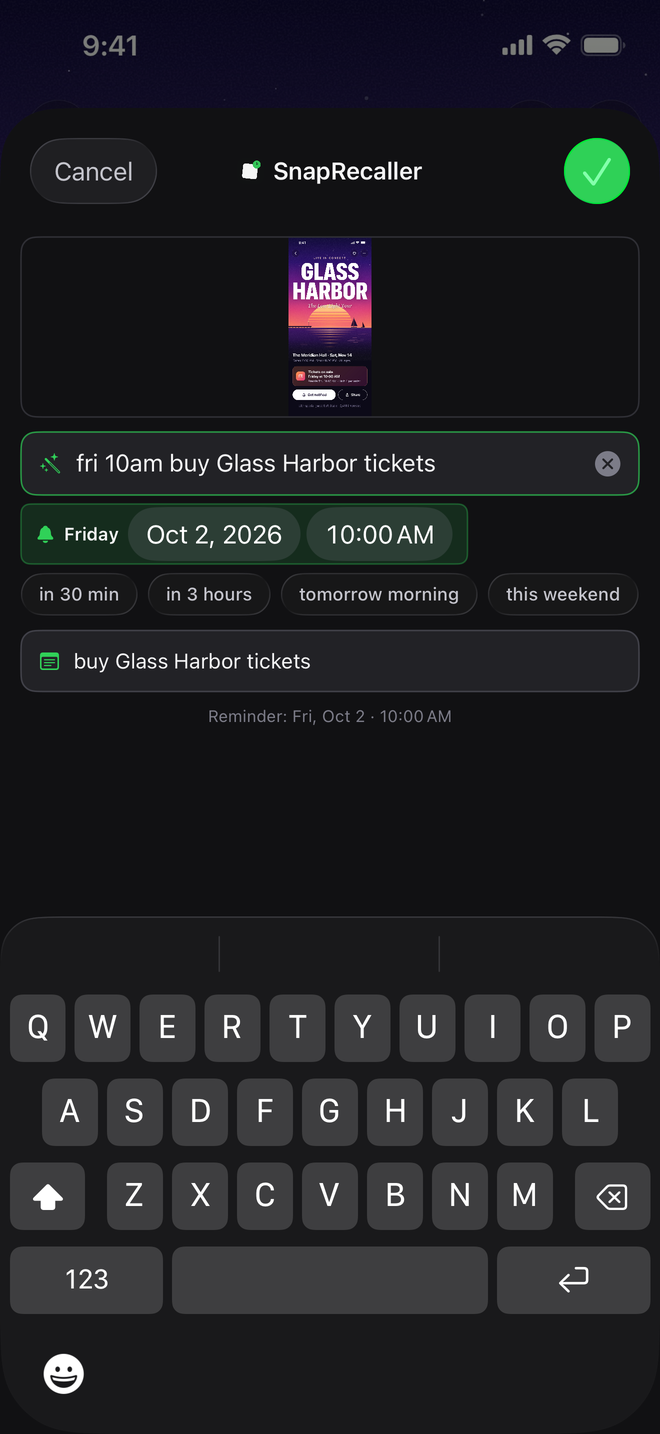
Type when and why
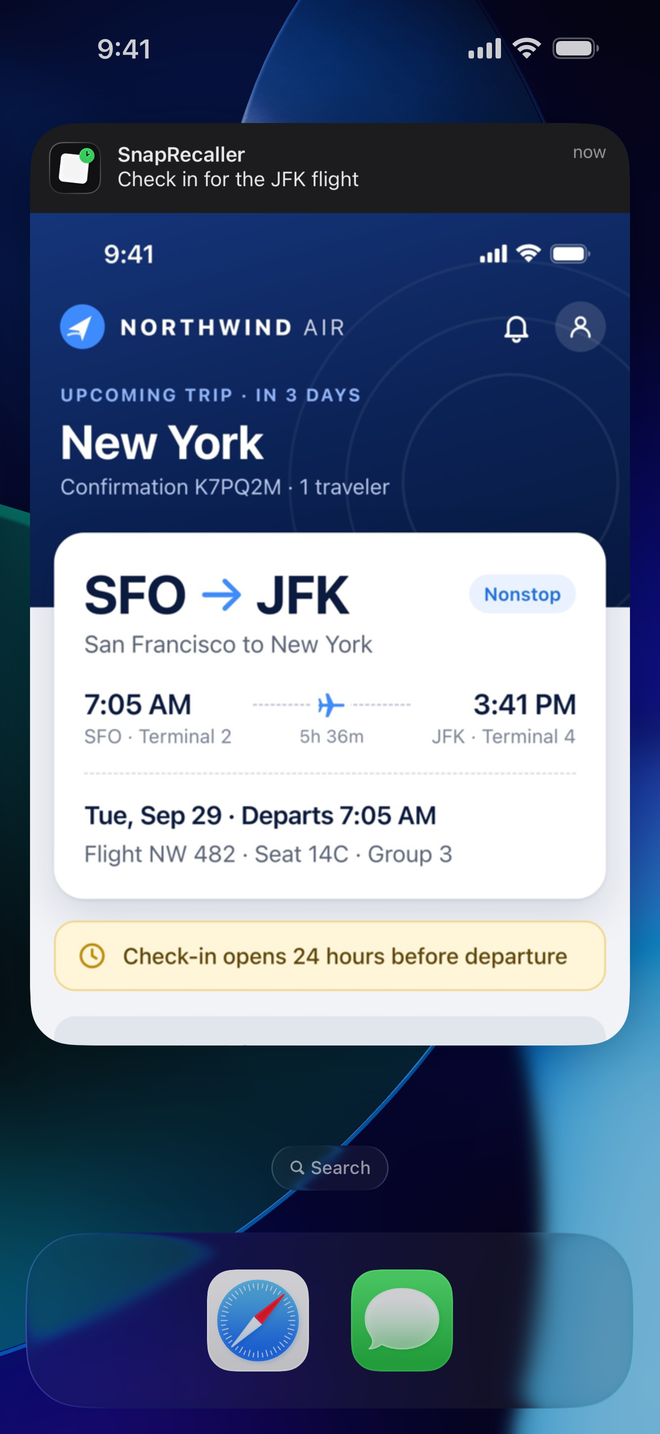
One line, like “tomorrow 9am send Priya the deck”, or just the time. Tap Save. At that time, a notification arrives with the screenshot attached.
One line, no pickers
Type the time and the note together. SnapRecaller splits them apart as you type, so you can adjust either one before saving, or tap a quick option instead. The options you use most move to the front.
- Remind
- Tomorrow, 9:00 AM
- Note
- send Priya the deck
- in 3 hours
- tomorrow morning
- this weekend
- next week
Just say when. It writes the note.
Type only the time and SnapRecaller reads the screenshot and suggests a short note. Keep it, tweak it, or write your own. It’s done by Apple’s on-device language model, so nothing is uploaded to be read.
On iPhones without Apple Intelligence, you get a simpler suggestion taken from the screenshot’s text.
- Remind
- Sunday, 4:00 PM
- Note AI
- Charred Corn & Miso Butter Pasta
In the app
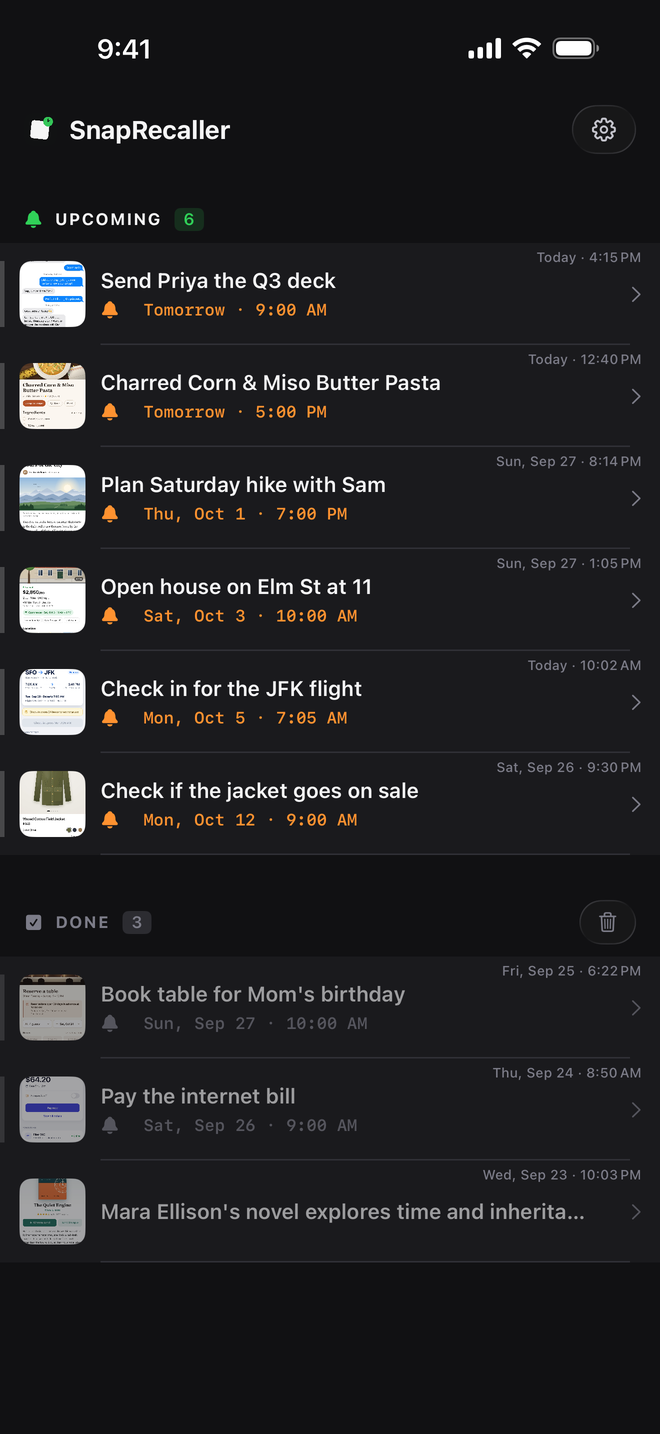
Upcoming at the top, soonest first
-
Swipe to keep it moving
Swipe right to mark a reminder done. Swipe left to reschedule or delete, or long-press for the same options. Changed your mind? Undo is one tap away.
-
Tap to see it again
Open any reminder to see the full screenshot and its note. Edit the note or mark it done right there.
-
Not sure when?
Save a screenshot without a time and it’s kept with its note, ready when you are.
Privacy
Stays on your iPhone
SnapRecaller has no servers and no networking code. What you save is stored on your iPhone, not on a server.
- No account, no sign-upOpen it and start saving. There’s nothing to log in to.
- No ads, no analytics, no trackingNothing about how you use the app is collected or shared.
- Never sent to us or anyone elseSuggested notes are written on your iPhone, and reminders are local notifications.
- Only the screenshot you shareSnapRecaller never asks for access to your photo library.
Pricing
20 free, then pay once
Your first 20 reminders are free. After that, unlock unlimited reminders with a single one-time purchase. No subscription, ever.
Free
20 reminders
Every feature included, no sign-up. Try it for real before you decide.
One-time unlock
Unlimited
A single in-app purchase. No subscription and no recurring charges. Payment is handled by Apple.
For iPhone · iOS 26